Building a daily work driver
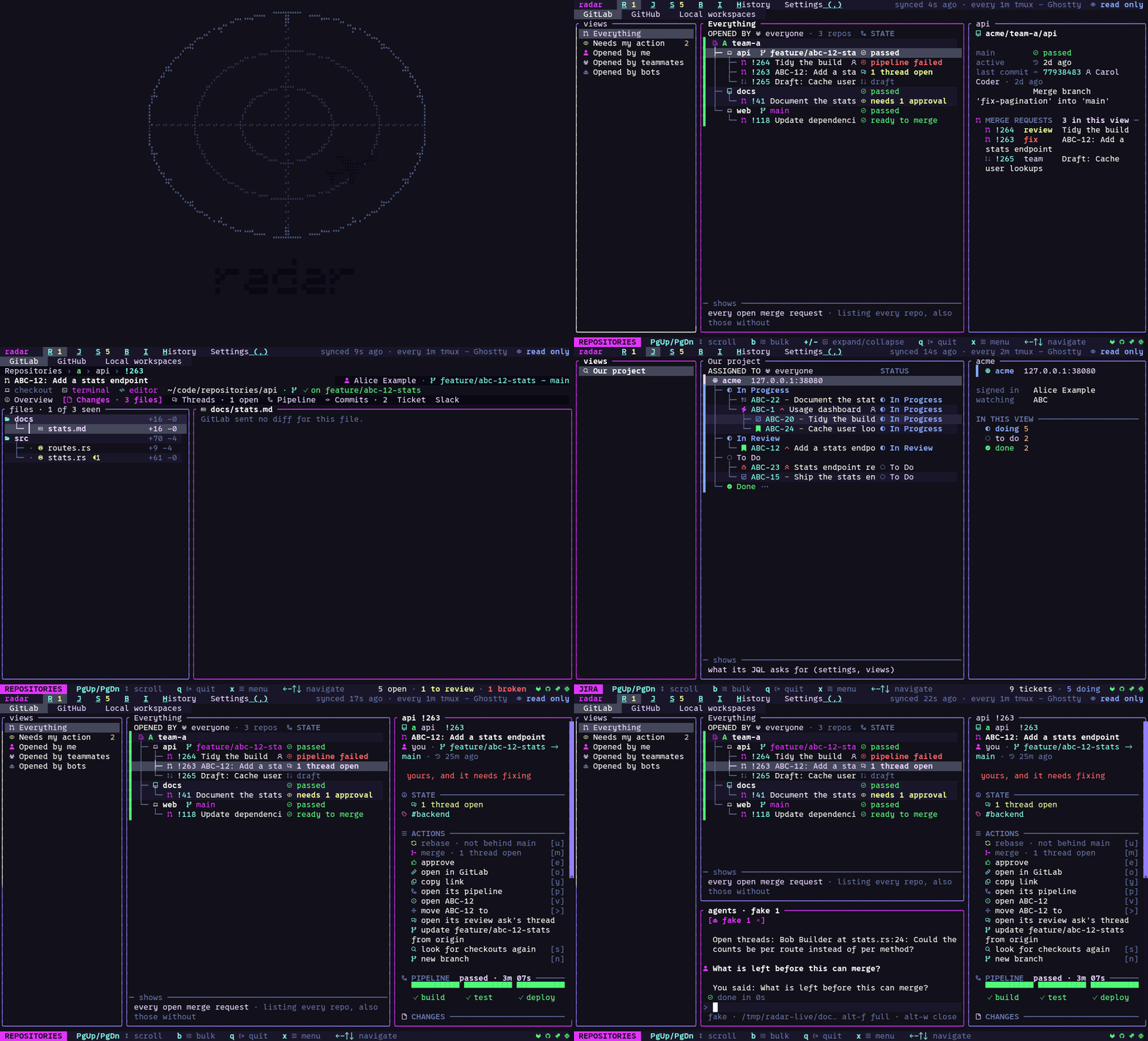
Radar puts GitLab merge requests, GitHub pull requests, Jira tickets and Slack threads on one terminal screen, joined to each other and to the branches checked out on your machine. Select any row to start a Claude, Codex or Copilot agent with that item described.
- Version
- 0.1.0-alpha.13
- Status
- Alpha
- Licence
- MIT
- Language
- Rust
Why I built it
A Jira ticket links to a GitLab merge request. The review has a pipeline and comment threads, and the branch is probably already checked out on my machine. Someone asked about it in Slack. To see what needed my attention I was opening each of those in turn, every time, all day.
What it does
Radar puts GitLab, GitHub, Jira, Slack and local Git in one terminal workspace. A ticket shows its linked review; a review shows its ticket and where its branch is checked out. You connect only the services you use. With nothing connected, the Branches and Work screens still run on local Git.
Most screens have three panes: views on the left, items in the middle, detail on the right. The same keys do the same things everywhere, and the status line shows the keys that work on the screen you are on.
Select a merge request, ticket, Slack message or branch and start a Claude, Codex or Copilot session with that item described. Radar shows the agent’s requests for commands and file changes in its dock, and you approve them there.
How I built it
Radar is Rust. One host crate owns the state, and each service is a crate of its own with the same shape, so adding a service means adding a part. The screen is drawn by Ratatui, or by an Ink renderer running beside the Rust program when the terminal can show images. The layout and colour rules, the widgets, and the Rust-to-Ink link became tui-kit, the next project in this series.
I built it with Claude Code. Every request those sessions made is recorded, and the measured findings on this site come out of that record.
Radar is in alpha. Follow the quickstart with a local Git checkout, or read the source.