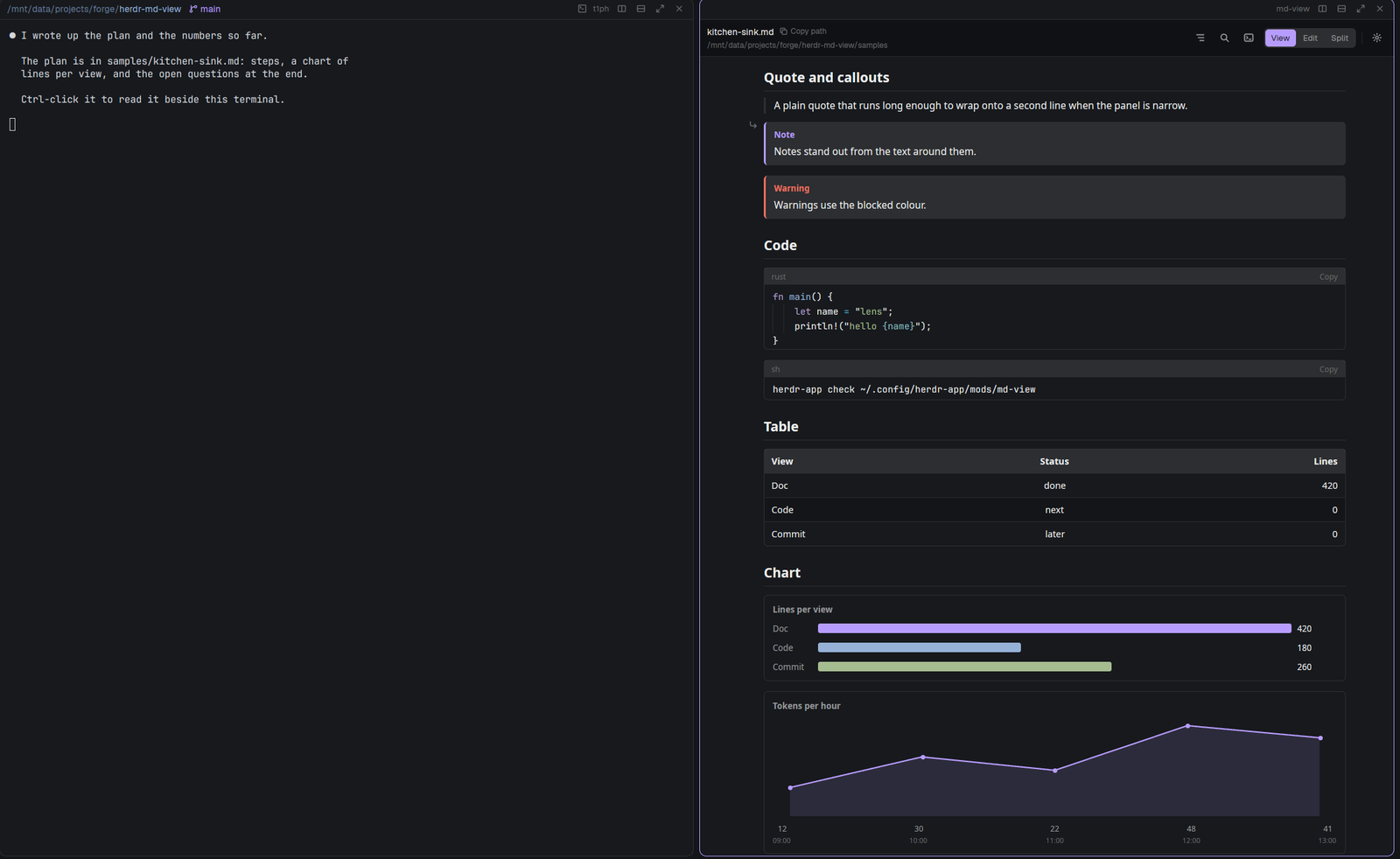
What it does
Ctrl-click a .md path in a terminal (Cmd-click on macOS) and the file opens, rendered, in a panel beside that terminal. Later clicks in the same tab show the new file in the same panel, and the terminal keeps the keyboard. It needs Herdr 0.1.17 or later.
Hover a paragraph or list item and an arrow in the margin sends it to the terminal you clicked from: path:12-14, then the lines quoted with >. It’s pasted without Enter, so you can add your own words before pressing Enter.
You can edit the file in the panel, and it saves 800 ms after you stop typing. When an agent rewrites the file you have open, the blocks it changed are marked, and c steps through them. There’s an outline, find, back and forward between linked files, plan.md:42 opening at line 42, and a list of the markdown files the terminal mentioned recently, including bare names like plan.md that Herdr doesn’t make clickable.
It renders callouts, highlighted code, tables, bar and line charts from fenced chart blocks, images and footnotes, and with the optional renderers, Mermaid diagrams and display maths.
How I built it
It started as a plan for a separate viewer app that Herdr would hand Ctrl-clicks to. Herdr 0.1.17 then let mods handle Ctrl-clicks themselves, so it became a mod in a panel beside the terminal, which also knows which terminal the click came from.
The markdown is parsed with markdown-it and its footnote, GitHub alerts and front matter plugins, bundled into one file because mods can’t install packages. The mod lays out each block itself and keeps its source line range, which is what the send arrow quotes. Text inside a paragraph, list item or table cell goes through Herdr’s own markdown text view, and code blocks use Herdr’s read-only editor for the syntax colours.
Herdr only shows images from inside its own folder, so images, Mermaid diagrams and maths are copied or rendered into a cache there first.