
Why
I wanted to judge how the kits are doing overall and get ideas for what to work on next. I was most interested in the new ways of asking that don’t block, and what they mean for a session.
Where the kits stand
ask-kit gives a coding agent one tool, ask, which hands a question to an investigator, a cheap model that digs out the answer and sends back a short reply with its evidence. It started with two domains, code (the repository you’re in) and sessions (the transcripts your agents write). Now 43 kits are installed on my machine. There were 44, but I retired the npm kit, since the tests, deps and release kits had absorbed what it did.
Machines and devices13 kits
- systemd units, journals, timers
- docker containers, compose, logs
- desktop windows and monitors
- dotfiles settings in ~/.config
- crash coredumps and backtraces
- ops services on your machines
- phone an Android phone over adb
- procs ports, CPU and memory
- net DNS, ports and URLs
- shell commands in shell history
- tmux sessions, panes and output
- files files, disk use, documents
- omarchy Omarchy version and commands
Code and data17 kits
- git local commits and branches
- github PRs, issues, CI runs
- gitlab merge requests, pipelines
- release is a repo release-ready
- checks what checks cost and catch
- rust cargo builds, tests, clippy
- python interpreters, venvs, uv
- ink building Ink 8 terminal apps
- storybook stories and their failures
- postgres tables, rows, slow queries
- data CSV, JSON and Parquet files
- deps packages and their versions
- logs errors in log files
- api an HTTP API via OpenAPI
- repos all repositories at once
- tests runs tests, build, lint
- sqlite SQLite database files
Agents and sessions7 kits
- mike every captured session
- fleet mike fleets and their seats
- claude-setup hooks, permissions, settings
- claude-code-docs Claude Code's own docs
- skills skills, agents and plugins
- rules standing rules and lessons
- taste recorded taste verdicts
Writing, web and media6 kits
- writing prose against writing rules
- docs-check docs that drift from code
- hyperframes making HyperFrames videos
- browser a page in a headless browser
- notes your Markdown notes
- web web pages and docs sites
How a kit plugs into ask
A kit is a folder with an ask-kit.toml manifest that says what it answers and lists its sources: a folder, a program such as gh, a JavaScript module or an MCP server. The guide has the fields, and how the investigator is chosen covers the router.
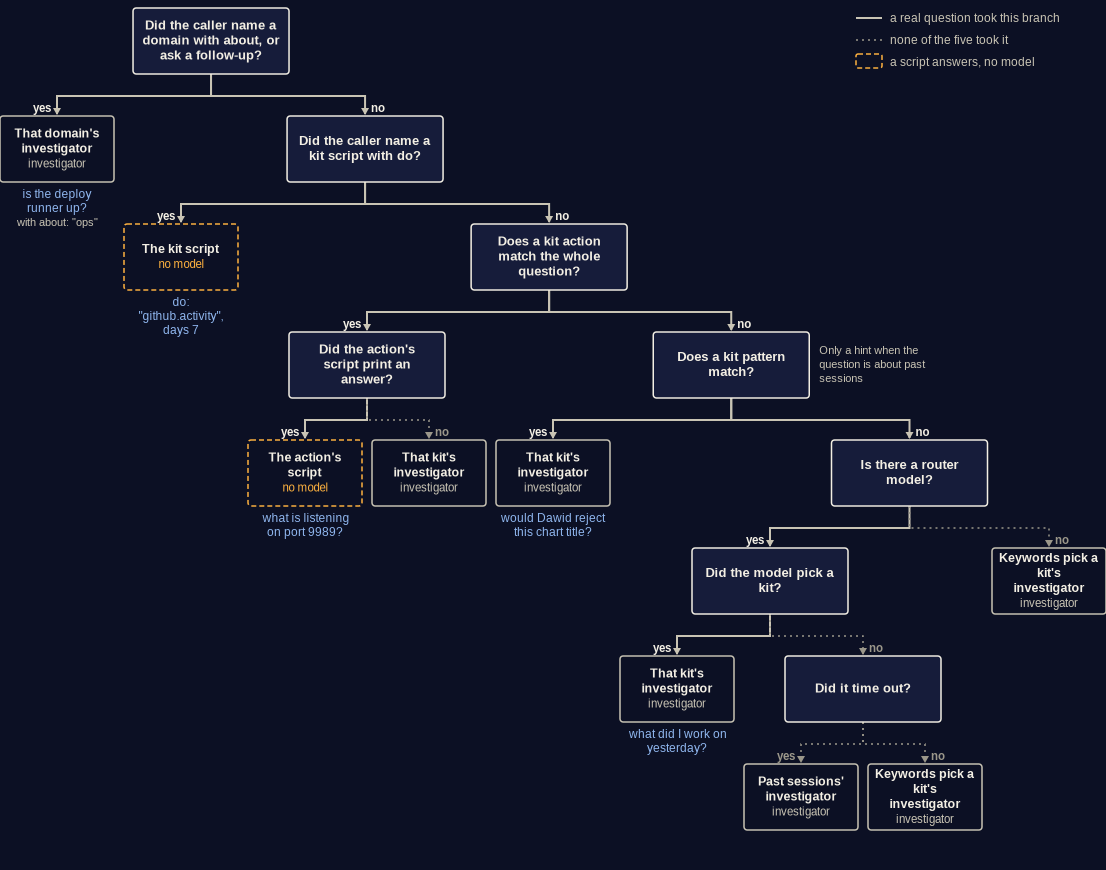
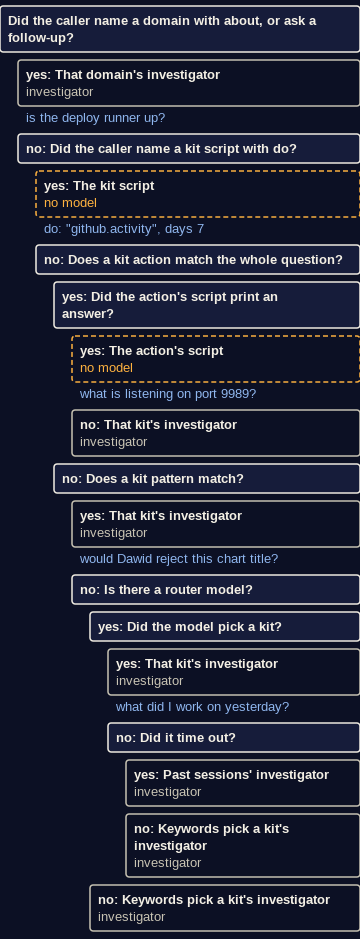
ask tries the caller’s own choices first, then a kit’s scripts and patterns, and asks a model only after those.
Making asks cheaper and faster
I started on the models and the routing, to save on cache and cost. The investigator runs on deepseek-v4.1-flash or glm-5.3-flash, and pinning deepseek to one provider, DeepInfra, stops a question switching provider halfway and throwing away the prompt cache on its prefix of about 34k characters. Then I restructured ask-kit so kits are modular, and a kit’s patterns can route a question with no model call. From there it was iterating and finding gaps that could be made better. A shot (the caller names a kit script with do) and an action (a kit script that matches the whole question) answer with no model at all. The keyword matching the router falls back on now picks the intended kit for 78 of 94 test questions, up from 60. Searching past transcripts for a question’s words got faster, from 22 s to 1.6 s on one search.
Asks that don’t block
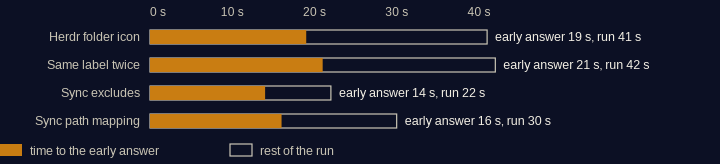
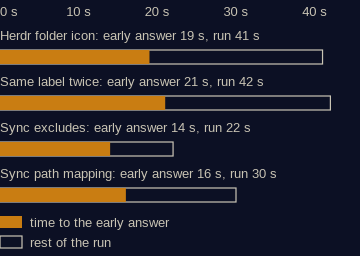
An ask that runs past 10 seconds comes back as a background task in clients that accept MCP tasks, so the session carries on and the answer arrives when it’s ready. In the session that reran the benchmark, 6 of 6 were delivered, which is too few to call a rate. An investigator that has the main fact early sends it at once and keeps checking, and continue: true collects the rest.
How it measures up
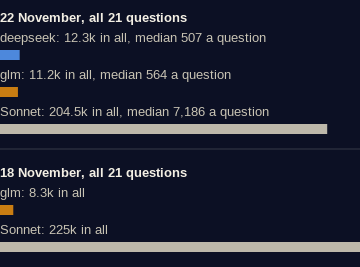
A session of mine reran ask-kit’s benchmark on its 21 public questions, putting them to ask on deepseek and on glm, and to Sonnet 5.5 digging through the files itself. The code questions run against a fixed commit of each repository (pull request 17 has the questions and results). Over all 21, ask added 12.3k tokens to the calling agent on deepseek and 11.2k on glm, and Sonnet’s digging added 204.5k. The chart’s second group is the 18 November run, for comparison.
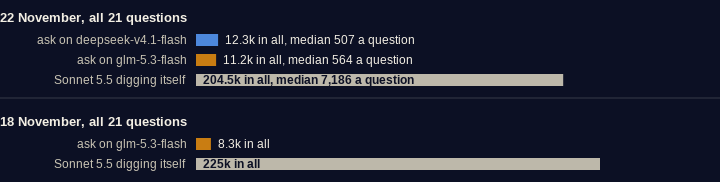
Sonnet was faster over all 21 (a median of 16 s, against 34 s on deepseek and 23 s on glm) and slower on the three questions that name no date, agent or session (a median of 255 s, against 195 s and 83 s).
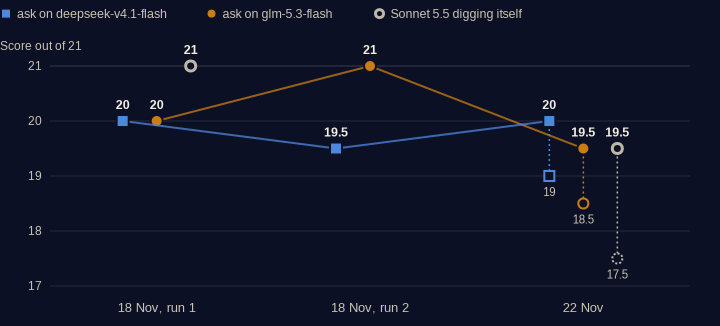
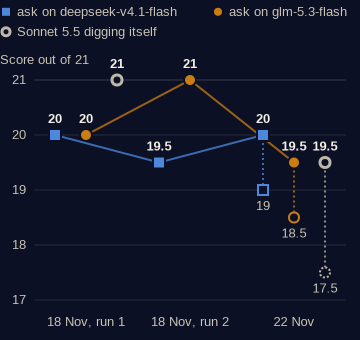
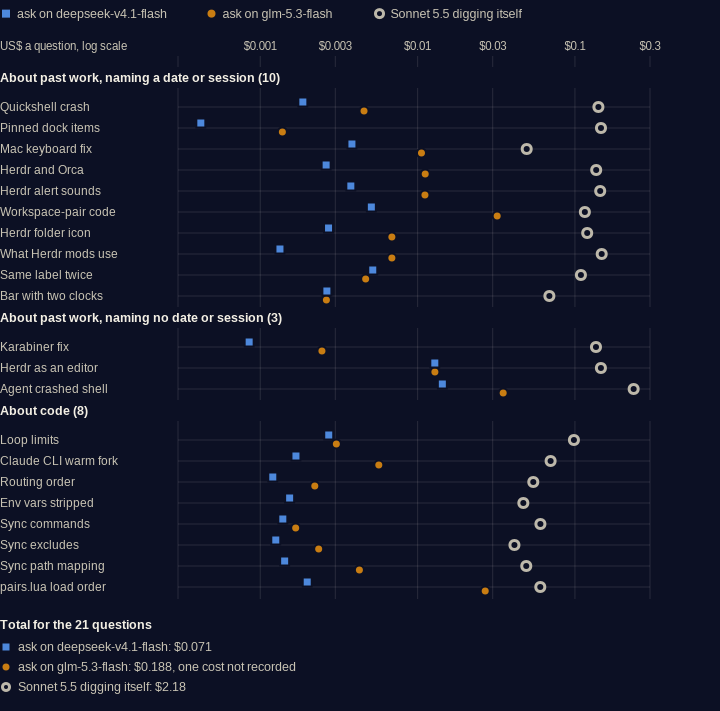
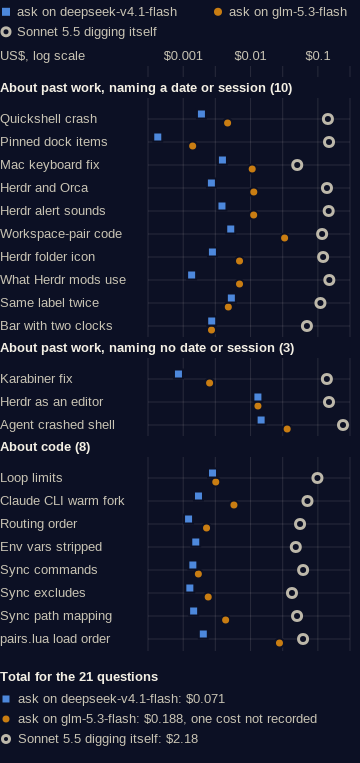
deepseek, ask’s default, cost $0.071 for all 21 questions, glm $0.188 and Sonnet $2.18.
What to work on next
First, some bug fixes the benchmark turned up. Then the saved state. A follow-up starts from the variables and functions the investigator saved (saved state for follow-ups).
If I’m seeing it right, that makes it almost a context store for the session that doesn’t hurt its context window. A follow-up uses what was already found, instead of writing the function again to see an outcome or what changed. In the benchmark a follow-up on glm took 3 s and $0.0006, usually with no new code. With background tasks the session carries on while an ask runs, and a follow-up names the task to pick up what that ask found.
There are more benefits here that I don’t think we appreciate yet. When a session writes something down today, it goes into Markdown files that have to be managed: a new line has to go in the right place, and writing it and reading it back are more turns the system has to do. The saved state doesn’t have that.