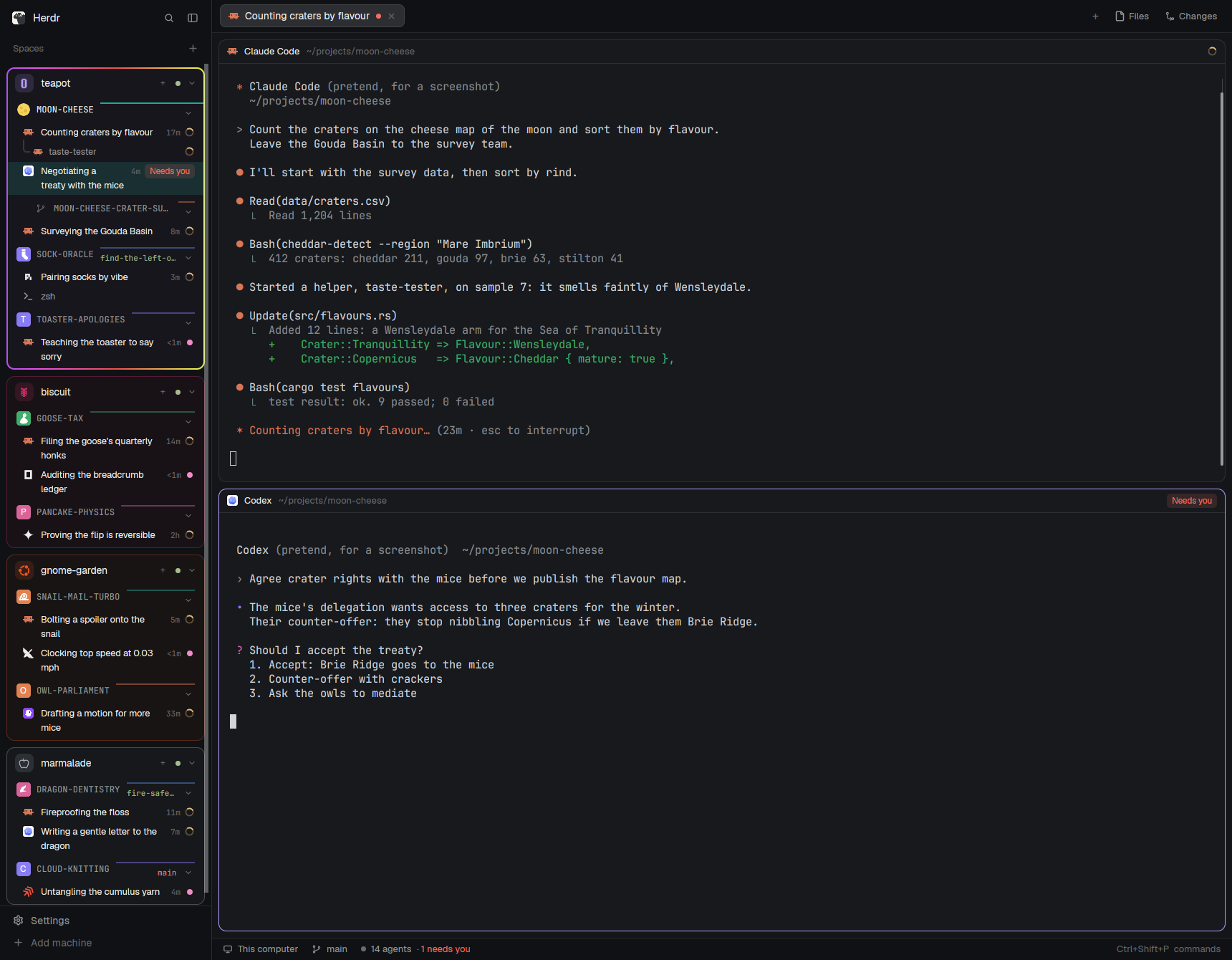
What it does
Raster shows a card per machine, the projects on it as headings, and each project’s agents and terminals under them. On one computer it’s the same list without the machine cards.
Herdr’s own sidebar has spaces in one list and agents in another, so you look across both to see which project an agent is in. In Raster an agent shows a spinner while it works, a “Needs you” pill when it’s waiting on you, and a dot when it’s done, with the time in that state. Sub-agents sit under their agent, and plain terminals follow in grey.
A project heading shows the repo’s own logo. The branch shows when it isn’t main or master, or when there’s work to push (green) or pull (red). Two spaces in one checkout share a heading, and a worktree sits under its checkout. Agents that share a tab are bracketed together under the tab’s name, which you can click to rename.
Each machine card has an icon and colour for its OS, and the card you’re on has a slowly moving rainbow edge. Drag the cards into your own order, fold machines and projects, and narrow the sidebar under 160 px to get a rail of numbered cells. Alt+↑ and Alt+↓ walk the agents and terminals in the order you see them.
Raster comes with main-raster, Herdr’s main layout with the two lists replaced by Raster. It runs git and a one-off probe of each machine; the README lists everything it runs, and its install steps are four commands.
How I built it
Raster started as a copy of the Spaces mod that ships with Herdr 0.1.15, and its agent rows follow Herdr’s agents mod. The code it kept from Spaces stays under Herdr’s Apache 2.0 licence; the rest is MIT. Releases are zips on GitHub.