mike groups every captured session under the folder it ran in, and calls that folder a project. Projects let you answer “what has Claude been doing in this codebase?” without scrolling through every session. This page covers the project list, one project’s page, the map of its sessions, the Fleet canvas, and searching what mike has kept for a project. It does not change anything Claude sends; those controls live under Memory, Steering and Filters.
Open Projects in the menu, or go to /projects. The Fleet canvas is Fleet in the
menu, or /fleet.
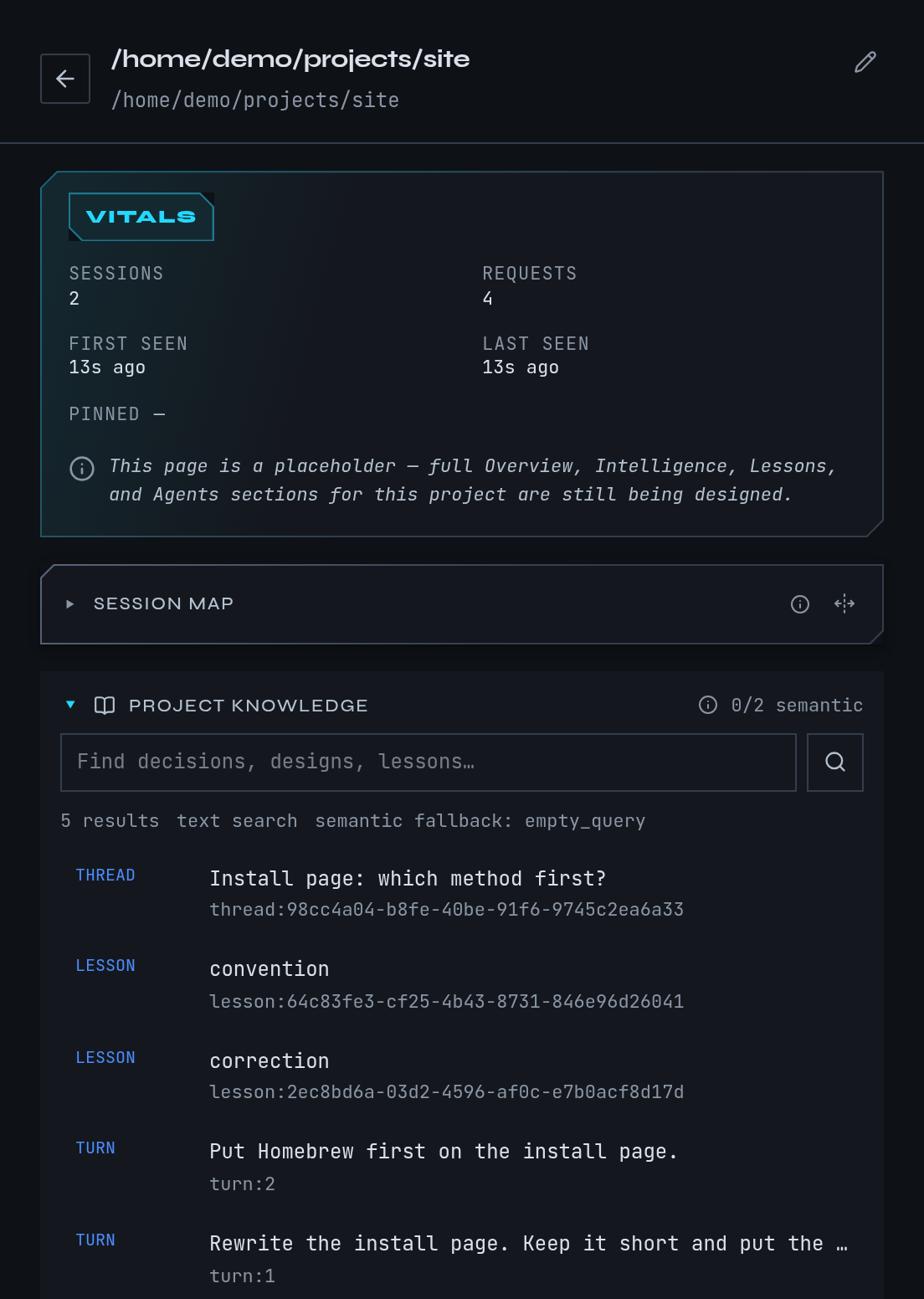
This is a fictional example. The docs session, its folder
~/projects/site and its correction come from the guide’s example, not from real work.
Follow the example project
Continue the example: a session named docs has been working in ~/projects/site and you
corrected it with “Put Homebrew first on the install page.” You want everything mike has
kept about that folder in one place.
- Open Projects. Find
sitein the list. If you have many projects, type in Search projects; it matches a name or a path. - Select the row to expand it. The row shows its Sessions and Session map and any mail between its sessions. The row’s Edit project button renames the project.
- Select Open the project to leave the list and open the project’s own page at
/projects/<path>. - On the project page, type
Homebrewin Search project knowledge and press Enter. The correction appears as a lesson, if you kept one, next to any project notes and earlier turns that mention it. Select a result to read the whole source in a drawer.
You should see the docs session listed under Sessions and, once its correction has been
kept, under Project memory.
The project list
The list shows every project that has at least one captured session or request. A line under the list says how many empty projects are hidden.
| What you see | What it means |
|---|---|
| Folder rows | Projects whose paths share a parent folder are grouped under that folder. Select a folder to collapse it. |
| Pinned | Projects you pinned. Drag one, or press the up and down arrow keys on its handle, to reorder them. Unpin a project from its row. |
| Unclassified | Projects whose path is a placeholder rather than a real folder. They sit apart from the folder tree. |
| Edit project | Rename the project, or say which project it belongs to. |
To merge two folders that are really one project, open Edit project, use Belongs to and choose the other project. mike suggests likely matches and marks them Suggested. To split one off, choose Create a new project and name it. To undo a merge, edit the project again and choose Its own project.
The search is only about project names and paths. To search what was said inside sessions, use the search on Sessions.
One project’s page
The project page collects what mike has for one folder:
| Section | What it shows |
|---|---|
| Vitals | Session and request counts, first and last seen, and whether it is pinned. |
| Session map | The project’s sessions placed by how similar they are, around the project’s centre. Select the open-graph button for a full-size map, and Similar projects to jump to neighbours. |
| Project knowledge | A search box over the project’s kept documents, lessons, session notes and captured turns. |
| Comms | Mail sent between the project’s sessions. |
| Time spent | How long sessions in the project have run. |
| Sessions | Its sessions. Shows the last 7 days by default; choose All time for older ones. The search matches a session title or a full session id, not what was said in it. |
| Launches | Every attempt to start a Claude Code session in this folder with mike spawn, with the outcome and the arguments used. See Sessions. |
| Project memory | The lessons, recently corrected turns and recently shipped turns a fresh session in this project is given. View in memory opens Memory. |
The Session map needs embeddings. With none yet, it says No session map available for this project yet. or No embedded sessions for this project yet. Embeddings are produced in the background, so give a new project some time, and check Embedding under Settings if the map stays empty.
Search what mike kept for a project
Project knowledge is search, not generation. It looks across what mike has retained for the project: documents mike collected, lessons, notebook entries from sessions, and captured turns. Type words or a phrase and press Enter. Matches by meaning and by wording both count, and a result shown does not mean it is true or still current.
Select a result to read the full source. If an older revision of a document is shown, the drawer says historical revision. If nothing matches, the panel says No current project knowledge matches this query.
Searching only reads; nothing is sent to Anthropic by this panel. Whether a session is given project knowledge, lessons or reminders is a separate setting, described on Memory. What leaves your machine is on Privacy.
Watch a project’s sessions on the Fleet canvas
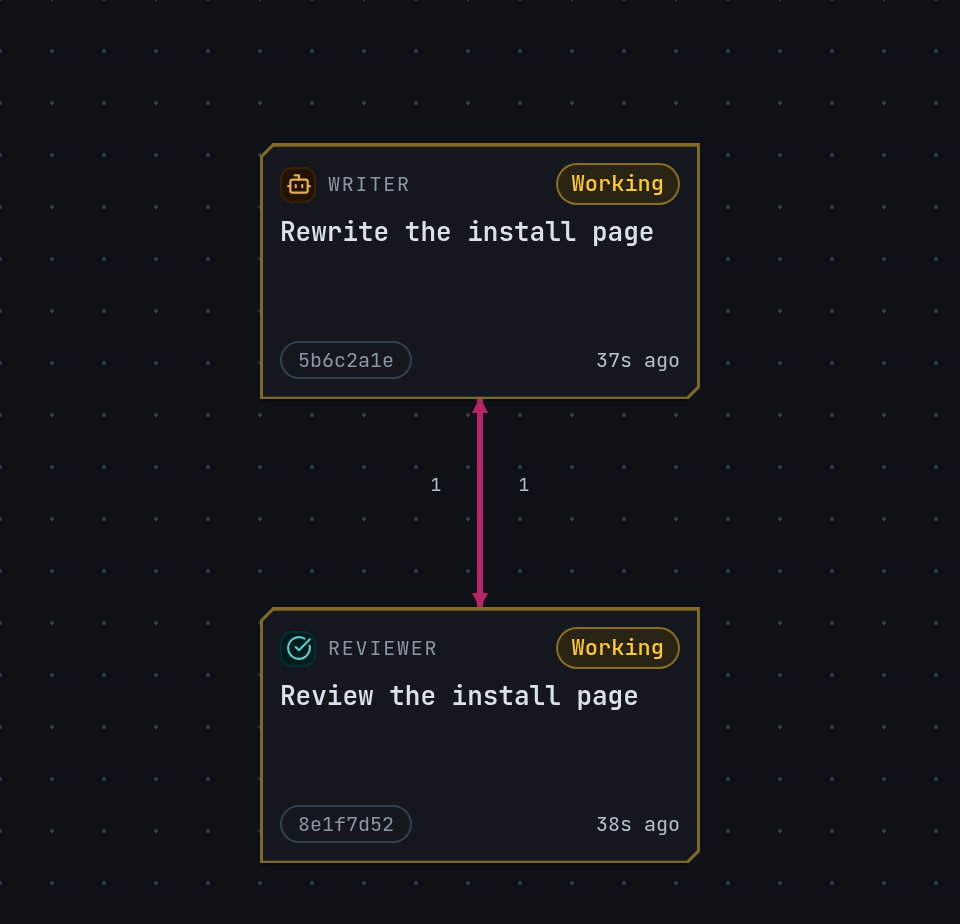
The Fleet canvas draws one project’s sessions as a graph: who is working, what they are working on, and who has written to whom. It is most useful when several sessions work on one goal; Fleets explains how to start and close a group of sessions on purpose. A single session still appears here.
- Open Fleet. Pick a project in project. If a project is already chosen, View project page takes you to its page.
- Pick a window: 24h, 72h, 7d or 30d. Only sessions active in that window show.
- Choose a view: Relationships draws sessions as a graph with lines for mail and dispatches; Board lists them as rows; Notebook shows the project’s session notes with filters for role, kind, status, tag and text. Relationships needs at least two connected sessions; with fewer, mike shows the Board.
- Select a session. The panel on the right shows its model, folder, what it is Working on now, Recent activity, Quality, Files and Connections.
- Type in find to jump to a session by name.
The page refreshes by itself every twenty seconds and whenever a session changes.
If there is nothing to show, the page says why:
| Message | What to do |
|---|---|
| No projects captured yet | Run Claude Code through mike and send a prompt; see Quickstart. |
| No sessions in this project’s fleet | Nothing happened in the chosen window. Widen it. |
| No active fleet activity in this window | The sessions have no declared role, no mail between them and have been quiet. They count as history. Open them from Sessions. |
When something looks wrong
| What you see | What to do |
|---|---|
| Couldn’t load projects | mike’s inspect service is not reachable. Run mike doctor, and see Troubleshooting. |
| Project not found | The path was renamed, or its sessions aged out. Go back to Projects. |
| No projects captured yet | Nothing has been captured. Start a session through mike. |
| A project is missing from the list | Projects with no sessions or requests are hidden; the note under the list counts them. |